Some updates on my site. How to import CM-personalities that could not be created inside CM and more...
Look under Grandmaster Edition.
http://descent.at/files/
cheers
Retro chess - Chessmaster
Moderator: Ras
-
Wilhelm

- Posts: 244
- Joined: Thu Jan 14, 2016 10:02 am
- Location: AUSTRIA, Vienna
- Full name: Wilhelm HUDETZ
Retro chess - Chessmaster
Ryzen 5900x, 64GB Ram, RTX3080, 2x 2TB SSD, 1x 1TB SSD, 1x 2TB HDD, all custom watercooled, Win10 and Win7 Multiboot, Win98/Windows Millennium/WinXP virtual machines for 16bit
Retro Chess Chessmasterhttps://descent.at/files/
Retro Chess Chessmasterhttps://descent.at/files/
-
Rowen
- Posts: 124
- Joined: Tue Nov 15, 2016 1:19 pm
- Location: Cheshire, England
Re: Retro chess - Chessmaster
HiWilhelm wrote: ↑Sun Dec 12, 2021 11:59 am Some updates on my site. How to import CM-personalities that could not be created inside CM and more...
Look under Grandmaster Edition.
http://descent.at/files/
cheers
Does anyone know how to get chessmaster 9000 working in a windows 10 setup on a modern computer.(installation from disk) I tried and gave up, I think I was able to install but various thinks were missing, anyone had any success?
-
Wilhelm
- Posts: 244
- Joined: Thu Jan 14, 2016 10:02 am
- Location: AUSTRIA, Vienna
- Full name: Wilhelm HUDETZ
Re: Retro chess - Chessmaster
Sorry no. I tried under Win7 but also no sucsess. The problem is the copy protection that is never suported by Win7-10Rowen wrote: ↑Sun Dec 12, 2021 4:39 pmHiWilhelm wrote: ↑Sun Dec 12, 2021 11:59 am Some updates on my site. How to import CM-personalities that could not be created inside CM and more...
Look under Grandmaster Edition.
http://descent.at/files/
cheers
Does anyone know how to get chessmaster 9000 working in a windows 10 setup on a modern computer.(installation from disk) I tried and gave up, I think I was able to install but various thinks were missing, anyone had any success?

Maybe the only way to install is a virtual Windowws XP and then port the CM9000 folder to W10.
Ryzen 5900x, 64GB Ram, RTX3080, 2x 2TB SSD, 1x 1TB SSD, 1x 2TB HDD, all custom watercooled, Win10 and Win7 Multiboot, Win98/Windows Millennium/WinXP virtual machines for 16bit
Retro Chess Chessmasterhttps://descent.at/files/
Retro Chess Chessmasterhttps://descent.at/files/
-
JVMerlino
- Posts: 1407
- Joined: Wed Mar 08, 2006 10:15 pm
- Location: San Francisco, California
Re: Retro chess - Chessmaster
Regedit to this key:
Computer\HKEY_USERS\<YOUR USER KEY>\SOFTWARE\Ubi Soft\Chessmaster 9000
Add a REG_DWORD key and name it "RelCD". Give it the value 1027 (x403).
Magic....
Computer\HKEY_USERS\<YOUR USER KEY>\SOFTWARE\Ubi Soft\Chessmaster 9000
Add a REG_DWORD key and name it "RelCD". Give it the value 1027 (x403).
Magic....
-
Wilhelm
- Posts: 244
- Joined: Thu Jan 14, 2016 10:02 am
- Location: AUSTRIA, Vienna
- Full name: Wilhelm HUDETZ
Re: Retro chess - Chessmaster
I tried it and get 1027 (4135), reboot, the setup didn't work

Then I installed my VM-ware Windows XP. I made this some years ago to run the old 16bit engines of Fritz 5

Installed CM9000 with all updates and it worked perfect. Then I moved the CM9000 folder and the Chessmaster 9000 folder from documents to Win 10.
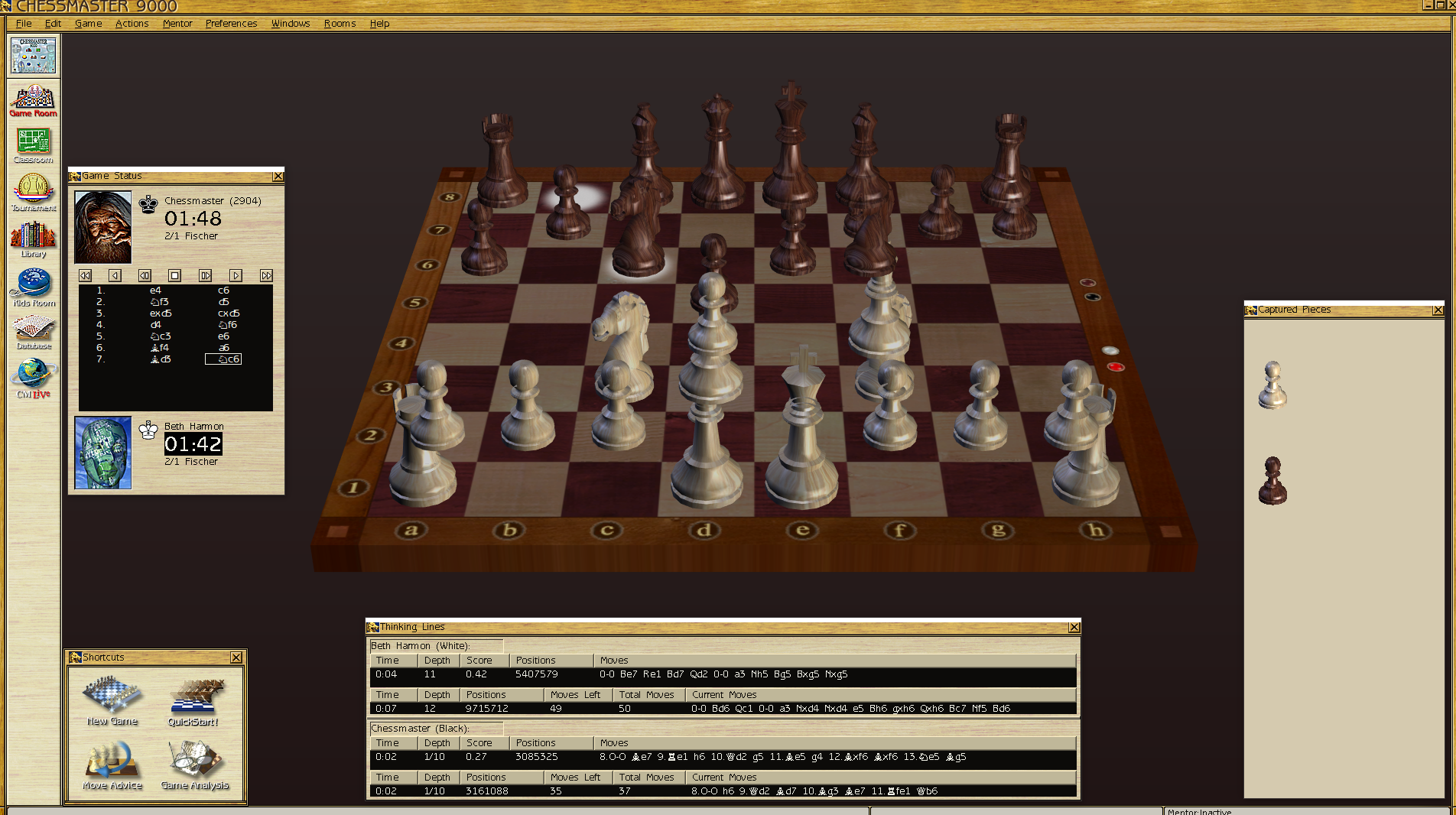
CM9 is working now in Win10 but the 3D board looks ugly, only the 2D board can be used. I think it's not worth the trouble. I can only recommand that users try to get a copy of CM10/11.
Fullscreen screenshot
http://descent.at/files/Chess/cm9000.png
Ryzen 5900x, 64GB Ram, RTX3080, 2x 2TB SSD, 1x 1TB SSD, 1x 2TB HDD, all custom watercooled, Win10 and Win7 Multiboot, Win98/Windows Millennium/WinXP virtual machines for 16bit
Retro Chess Chessmasterhttps://descent.at/files/
Retro Chess Chessmasterhttps://descent.at/files/
-
JVMerlino
- Posts: 1407
- Joined: Wed Mar 08, 2006 10:15 pm
- Location: San Francisco, California
Re: Retro chess - Chessmaster
I'm glad you were able to get it to work. IMHO, CM9 is the best version. But my 3D boards look fine (although I never use them). So that's rather strange. You might try going to "Preferences -> Board Settings -> True 3D" and selecting "Off" for Shadows.
I also don't understand the number "4135" that you have below. Can you clarify?
I also don't understand the number "4135" that you have below. Can you clarify?
-
Wilhelm
- Posts: 244
- Joined: Thu Jan 14, 2016 10:02 am
- Location: AUSTRIA, Vienna
- Full name: Wilhelm HUDETZ
Re: Retro chess - Chessmaster
When I enter the value 1027 then the number in the brackets is 4135, not as you write x403.
I tried all combinations for the 3D board but nothing changes. Don't know what I can try more. Maybe in Nvidia Inspactor...
I only use it when I play the winner stay on board But not realy a problem because I mostly use CM11. It looks so amazing.
I tried all combinations for the 3D board but nothing changes. Don't know what I can try more. Maybe in Nvidia Inspactor...
I only use it when I play the winner stay on board
But not realy a problem because I mostly use CM11. It looks so amazing.Ryzen 5900x, 64GB Ram, RTX3080, 2x 2TB SSD, 1x 1TB SSD, 1x 2TB HDD, all custom watercooled, Win10 and Win7 Multiboot, Win98/Windows Millennium/WinXP virtual machines for 16bit
Retro Chess Chessmasterhttps://descent.at/files/
Retro Chess Chessmasterhttps://descent.at/files/
-
JVMerlino
- Posts: 1407
- Joined: Wed Mar 08, 2006 10:15 pm
- Location: San Francisco, California
Re: Retro chess - Chessmaster
Ah, I think the value you should enter is 403, because it is asking for a hexadecimal value. So hex 403 is the same as decimal 1027. That should bypass the copy protection.Wilhelm wrote: ↑Tue Dec 14, 2021 1:21 am When I enter the value 1027 then the number in the brackets is 4135, not as you write x403.
I tried all combinations for the 3D board but nothing changes. Don't know what I can try more. Maybe in Nvidia Inspactor...
I only use it when I play the winner stay on board
I actually haven't seen CM11. Not even sure where I can (legally) get a copy these days.
-
Wilhelm
- Posts: 244
- Joined: Thu Jan 14, 2016 10:02 am
- Location: AUSTRIA, Vienna
- Full name: Wilhelm HUDETZ
Re: Retro chess - Chessmaster
Ok, changed the Dword, it's now correct but the setup doesn't work. Maybe it's the setup version 2.0.0.8, 2.0.0.2 should work what I read...JVMerlino wrote: ↑Tue Dec 14, 2021 5:56 amAh, I think the value you should enter is 403, because it is asking for a hexadecimal value. So hex 403 is the same as decimal 1027. That should bypass the copy protection.Wilhelm wrote: ↑Tue Dec 14, 2021 1:21 am When I enter the value 1027 then the number in the brackets is 4135, not as you write x403.
I tried all combinations for the 3D board but nothing changes. Don't know what I can try more. Maybe in Nvidia Inspactor...
I only use it when I play the winner stay on board
I actually haven't seen CM11. Not even sure where I can (legally) get a copy these days.
But as I said I can run it in the VM.
Don't understand why CM11 is so hard to get. Maybe on ebay from time to time. Is it abandomware know?
Take a look on it
three fullscreenshots
http://descent.at/files/Chess/cm11screen00.png
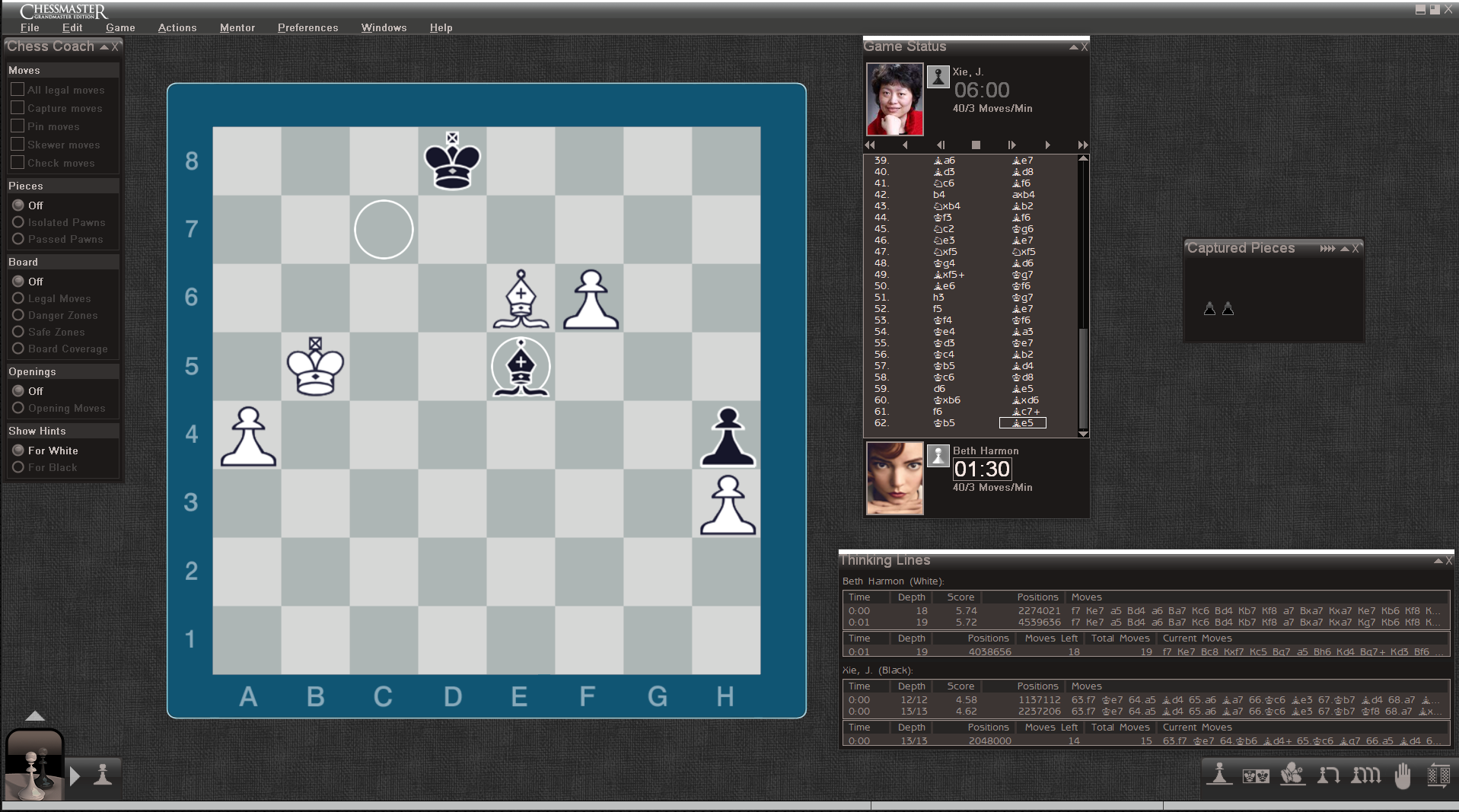
http://descent.at/files/Chess/cm11screen01.png
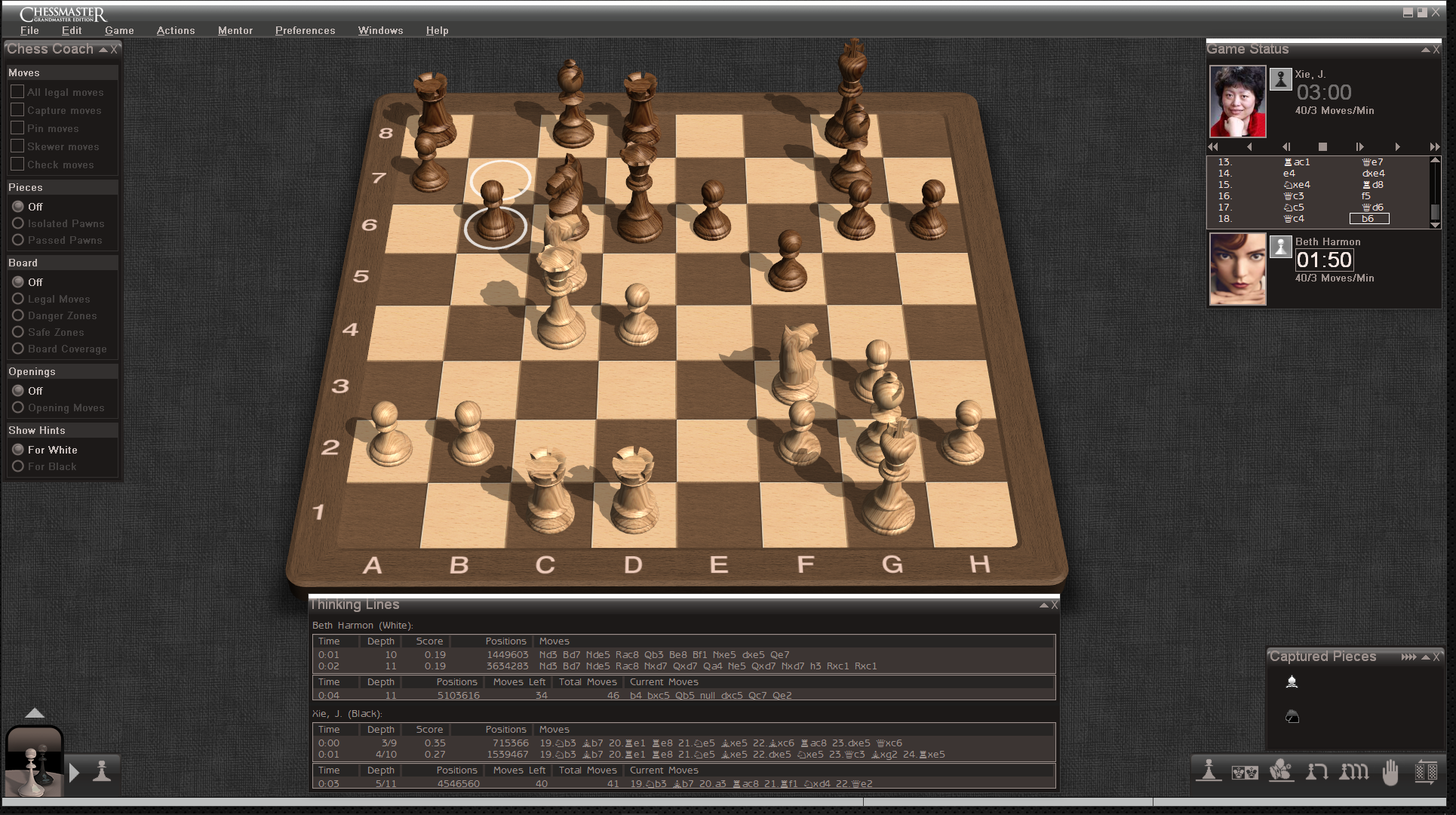
http://descent.at/files/Chess/cm11screen02.png
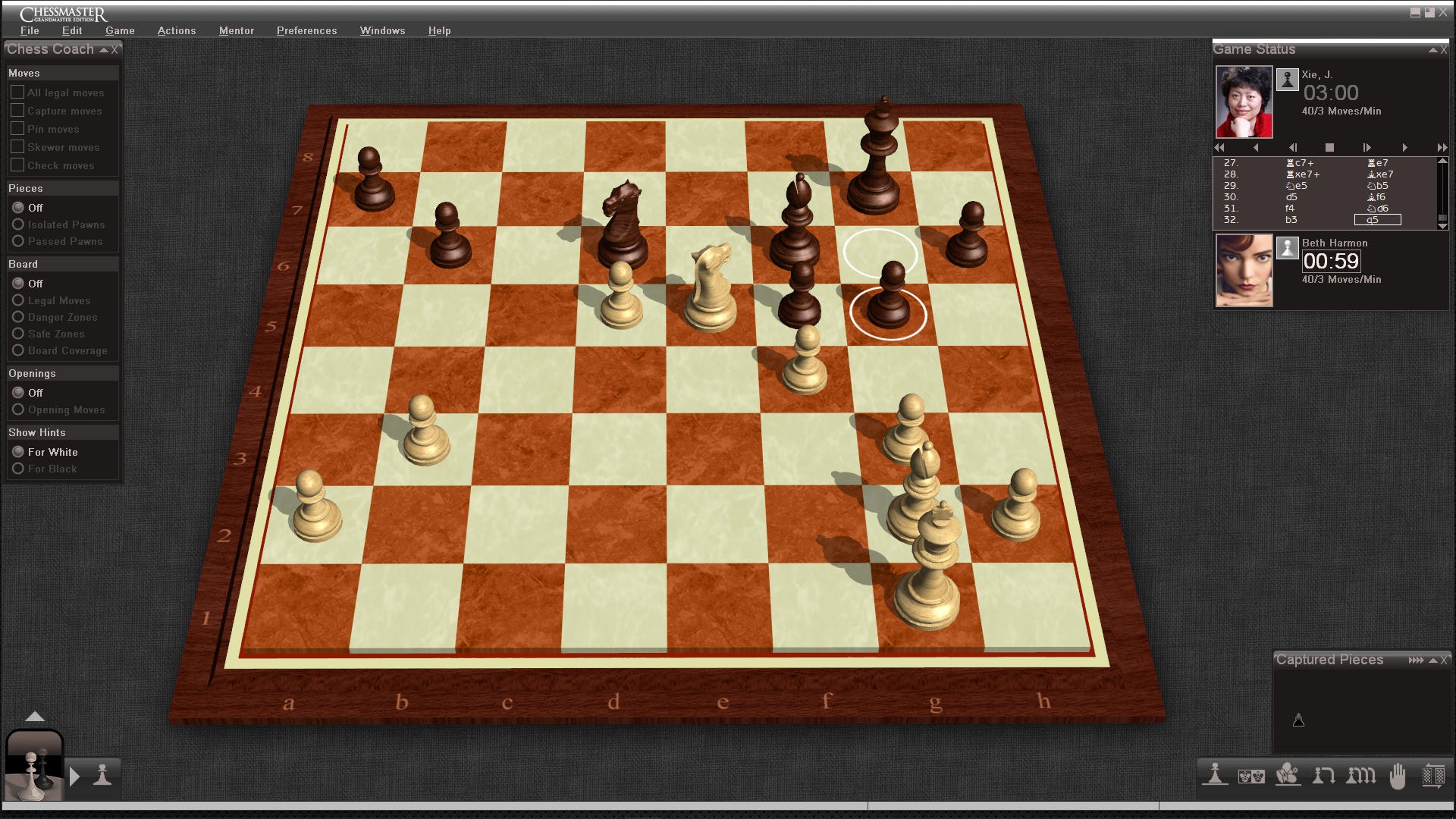
Ryzen 5900x, 64GB Ram, RTX3080, 2x 2TB SSD, 1x 1TB SSD, 1x 2TB HDD, all custom watercooled, Win10 and Win7 Multiboot, Win98/Windows Millennium/WinXP virtual machines for 16bit
Retro Chess Chessmasterhttps://descent.at/files/
Retro Chess Chessmasterhttps://descent.at/files/
-
Werner

- Posts: 3032
- Joined: Wed Mar 08, 2006 10:09 pm
- Location: Germany
- Full name: Werner Schüle
Re: Retro chess - Chessmaster
Hi Wilhelm,
somebody wrote: CM9000 is the strongest version of the series.
What do you think?
best wishes
Werner
somebody wrote: CM9000 is the strongest version of the series.
What do you think?
best wishes
Werner
Werner