I would like to try the two computer match feature. I noticed a parameter for accounting the delay in milliseconds.
Do anybody know how to set it up?
Banksia GUI released
Moderator: Ras
-
Nordlandia

- Posts: 2845
- Joined: Fri Sep 25, 2015 9:38 pm
- Location: Sortland, Norway
-
phhnguyen

- Posts: 1543
- Joined: Wed Apr 21, 2010 4:58 am
- Location: Australia
- Full name: Nguyen Hong Pham
Re: Banksia GUI released
Sorry, I am not clear what you need. Can you explain a bit more? Thanks.Nordlandia wrote: ↑Sat Mar 28, 2020 9:06 pm I would like to try the two computer match feature. I noticed a parameter for accounting the delay in milliseconds.
Do anybody know how to set it up?
BTW, I have written already a short guide on how to use the local network function. It is the second post of this page (the one replying to Krzysztof Grzelak). Can you check it?
https://banksiagui.com
The most features chess GUI, based on opensource Banksia - the chess tournament manager
The most features chess GUI, based on opensource Banksia - the chess tournament manager
-
Nordlandia
- Posts: 2845
- Joined: Fri Sep 25, 2015 9:38 pm
- Location: Sortland, Norway
Re: Banksia GUI released
2) Login BSG
- Open Local network panel: menu -> Connect -> Local Network
- Give a name (any) to each computer then click the button Connect. You may use the same name for multi-computers, but it is the hard way to manage. It is better to give a unique and short name for each computer. If everything is OK, you will see some messages such as Jane has joined, nguyen has joined...
(figure 1).
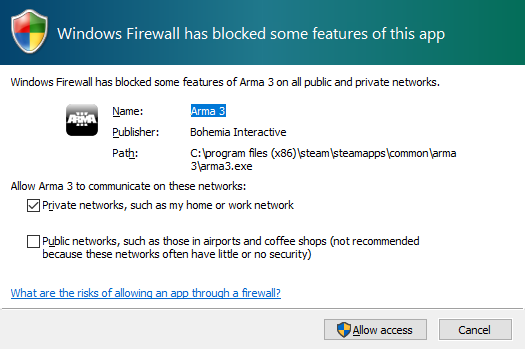
I tried this but the other machine does not show up when i press connect. There was a firewall message and i choosed home network.
Maybe i need to configure network cable.
Edit: got it working but it is related to switch and router.
- Open Local network panel: menu -> Connect -> Local Network
- Give a name (any) to each computer then click the button Connect. You may use the same name for multi-computers, but it is the hard way to manage. It is better to give a unique and short name for each computer. If everything is OK, you will see some messages such as Jane has joined, nguyen has joined...
(figure 1).
I tried this but the other machine does not show up when i press connect. There was a firewall message and i choosed home network.
Maybe i need to configure network cable.
Edit: got it working but it is related to switch and router.
-
Ozymandias

- Posts: 1537
- Joined: Sun Oct 25, 2009 2:30 am
Re: Banksia GUI released
So, you've changed the default 2xW + D for Polyglot?phhnguyen wrote: ↑Sat Mar 28, 2020 2:47 amWhen creating a Polyglot book, we need to compute and assign a score for each move in the book. The popular method is to count numbers of game wins, draws and losses of that move then sum up them with their factors.
score_of_a_move = win x win_factor + draw x draw_factor + loss x loss_factor
For default factors of BSG, win_factor = 5, draw_factor = 0, loss_factor = 0 means we use only win number as the score: more wins is better. However, BSG allows users to control all factors too. All scores of a given opening book could be edited manually later. All may help to create scores as users want.

That screen-capture looks really good, what's the number to the right of the moves? Games?
-
phhnguyen
- Posts: 1543
- Joined: Wed Apr 21, 2010 4:58 am
- Location: Australia
- Full name: Nguyen Hong Pham
Re: Banksia GUI released
Those numbers are scores. Polyglot books don't store directly the number of games!Ozymandias wrote: ↑Tue Mar 31, 2020 1:09 pmSo, you've changed the default 2xW + D for Polyglot?phhnguyen wrote: ↑Sat Mar 28, 2020 2:47 amWhen creating a Polyglot book, we need to compute and assign a score for each move in the book. The popular method is to count numbers of game wins, draws and losses of that move then sum up them with their factors.
score_of_a_move = win x win_factor + draw x draw_factor + loss x loss_factor
For default factors of BSG, win_factor = 5, draw_factor = 0, loss_factor = 0 means we use only win number as the score: more wins is better. However, BSG allows users to control all factors too. All scores of a given opening book could be edited manually later. All may help to create scores as users want.
That screen-capture looks really good, what's the number to the right of the moves? Games?
If you see the name of that opening book file (on the top box) it is fruit.bin - it is the opening book of Fruit chess engine. We don't know how its author (Fabien Letouzey) built that book: how many games he used, how he selected them, what were factors, did he post-edit after building... I am sure it is a good book, but I am not sure if it is extremely good!
From my experience, the default settings (score = 5xW) for building Polyglot books of BSG are just fine, especially when you have a large number of computer games since they count only winning games and ignore all others.
https://banksiagui.com
The most features chess GUI, based on opensource Banksia - the chess tournament manager
The most features chess GUI, based on opensource Banksia - the chess tournament manager
-
Nordlandia
- Posts: 2845
- Joined: Fri Sep 25, 2015 9:38 pm
- Location: Sortland, Norway
Re: Banksia GUI released
I tried two computer match feature and it seems to be working fine. But there is few options that would be beneficial to the operator/spectators.
* Ponderhit -> move expected by the opponent in percentage.
Considering predicted Move
Search with the predicted opponent move from the Principal Variation is actually made. If the expected move is really played by the opponent, a so called Ponder Hit occurred and one may either continue searching with the saved time.
* Pondermove -> the expected move in text. I.e " Bc4 "
* Ponderhit -> move expected by the opponent in percentage.
Considering predicted Move
Search with the predicted opponent move from the Principal Variation is actually made. If the expected move is really played by the opponent, a so called Ponder Hit occurred and one may either continue searching with the saved time.
* Pondermove -> the expected move in text. I.e " Bc4 "
-
Jonathan003
- Posts: 247
- Joined: Fri Jul 06, 2018 4:23 pm
- Full name: Jonathan Cremers
Re: Banksia GUI released
[/quote]
Oops! Thanks a lot for the report!
Can you send me the database (with the extension bgdb - the one you use to create the Polyglot book) for checking? I am a bit struggling to reproduce the crash. Thanks again.
[/quote]
Its when choosing the format pgn instead of bin when making a book from a bgdb file. I tried it with different pgn books. And Banksia crashes. Maybe it's not meant to load a pgn book that way? Then it would be better not to be able to select a book in pgn format when clicking the + sign, when going to tools > opening
Oops! Thanks a lot for the report!
Can you send me the database (with the extension bgdb - the one you use to create the Polyglot book) for checking? I am a bit struggling to reproduce the crash. Thanks again.
[/quote]
Its when choosing the format pgn instead of bin when making a book from a bgdb file. I tried it with different pgn books. And Banksia crashes. Maybe it's not meant to load a pgn book that way? Then it would be better not to be able to select a book in pgn format when clicking the + sign, when going to tools > opening
-
phhnguyen
- Posts: 1543
- Joined: Wed Apr 21, 2010 4:58 am
- Location: Australia
- Full name: Nguyen Hong Pham
Re: Banksia GUI released
Thanks for those suggestions. I have added them to my TODO list.Nordlandia wrote: ↑Tue Mar 31, 2020 5:56 pm I tried two computer match feature and it seems to be working fine. But there is few options that would be beneficial to the operator/spectators.
* Ponderhit -> move expected by the opponent in percentage.
Considering predicted Move
Search with the predicted opponent move from the Principal Variation is actually made. If the expected move is really played by the opponent, a so called Ponder Hit occurred and one may either continue searching with the saved time.
* Pondermove -> the expected move in text. I.e " Bc4 "
https://banksiagui.com
The most features chess GUI, based on opensource Banksia - the chess tournament manager
The most features chess GUI, based on opensource Banksia - the chess tournament manager
-
phhnguyen
- Posts: 1543
- Joined: Wed Apr 21, 2010 4:58 am
- Location: Australia
- Full name: Nguyen Hong Pham
Re: Banksia GUI released
I have tried on some computers and some databases (.bgdb) but still struggling to reproduce the problem. Please note that:Jonathan003 wrote: ↑Tue Mar 31, 2020 6:55 pmIts when choosing the format pgn instead of bin when making a book from a bgdb file. I tried it with different pgn books. And Banksia crashes. Maybe it's not meant to load a pgn book that way? Then it would be better not to be able to select a book in pgn format when clicking the + sign, when going to tools > opening
Oops! Thanks a lot for the report!
Can you send me the database (with the extension bgdb - the one you use to create the Polyglot book) for checking? I am a bit struggling to reproduce the crash. Thanks again.
* to create a new PGN book from an existent database (.bgdb) you need to open dialog Opening Book Builder as below image (menu -> Tools -> Create opening book)
* the input is a database file (.bgdb) and the output is a PGN file that may not be existent - BSG will create a total new PGN file. Thus trying "different pgn books" won't help (BSG won't read them)
BTW, can you try to create a Polyglot first (tick on Polyglot) to check if it crashes or not? Thanks again.

https://banksiagui.com
The most features chess GUI, based on opensource Banksia - the chess tournament manager
The most features chess GUI, based on opensource Banksia - the chess tournament manager
-
Jonathan003
- Posts: 247
- Joined: Fri Jul 06, 2018 4:23 pm
- Full name: Jonathan Cremers
Re: Banksia GUI released
[/quote]
I have tried on some computers and some databases (.bgdb) but still struggling to reproduce the problem. Please note that:
* to create a new PGN book from an existent database (.bgdb) you need to open dialog Opening Book Builder as below image (menu -> Tools -> Create opening book)
* the input is a database file (.bgdb) and the output is a PGN file that may not be existent - BSG will create a total new PGN file. Thus trying "different pgn books" won't help (BSG won't read them)
BTW, can you try to create a Polyglot first (tick on Polyglot) to check if it crashes or not? Thanks again.
[/quote]
I will send you a link to my google drive with the original pgn database, the bgdb database made from the original pgn, the pgn book, and the bin book.
I have no problems in Banksia when loading the created bin book.
Here are the settings I used:


I have tried on some computers and some databases (.bgdb) but still struggling to reproduce the problem. Please note that:
* to create a new PGN book from an existent database (.bgdb) you need to open dialog Opening Book Builder as below image (menu -> Tools -> Create opening book)
* the input is a database file (.bgdb) and the output is a PGN file that may not be existent - BSG will create a total new PGN file. Thus trying "different pgn books" won't help (BSG won't read them)
BTW, can you try to create a Polyglot first (tick on Polyglot) to check if it crashes or not? Thanks again.
[/quote]
I will send you a link to my google drive with the original pgn database, the bgdb database made from the original pgn, the pgn book, and the bin book.
I have no problems in Banksia when loading the created bin book.
Here are the settings I used: