fastchess-gui 0.6.0 is out, for Windows, Linux and macOS:
release page.
It is the biggest release so far, and much of it is about long unattended runs: what happens to your tournaments while you are not watching them.
Close the window, the tournaments keep playing
Each tournament now plays in a process of its own. When you close the window, the default choice is "Keep them running and quit": the games go on, and the window shows the tournaments again at its next launch, exactly where they are. A crash takes down one tournament, not the others nor the window.
Several tournaments can run at once and share the machine: a budget of cores in Settings, split by a weight on each tournament's card, and a smaller share never interrupts a game in progress. There is a memory budget too (a game starts only when its engines' Hash fits), and engines that use a GPU never outnumber the GPUs. On a server,
Code: Select all
fastchess-gui --run setup.json --detach
does the same without a window, and
talks to a running tournament from a terminal.
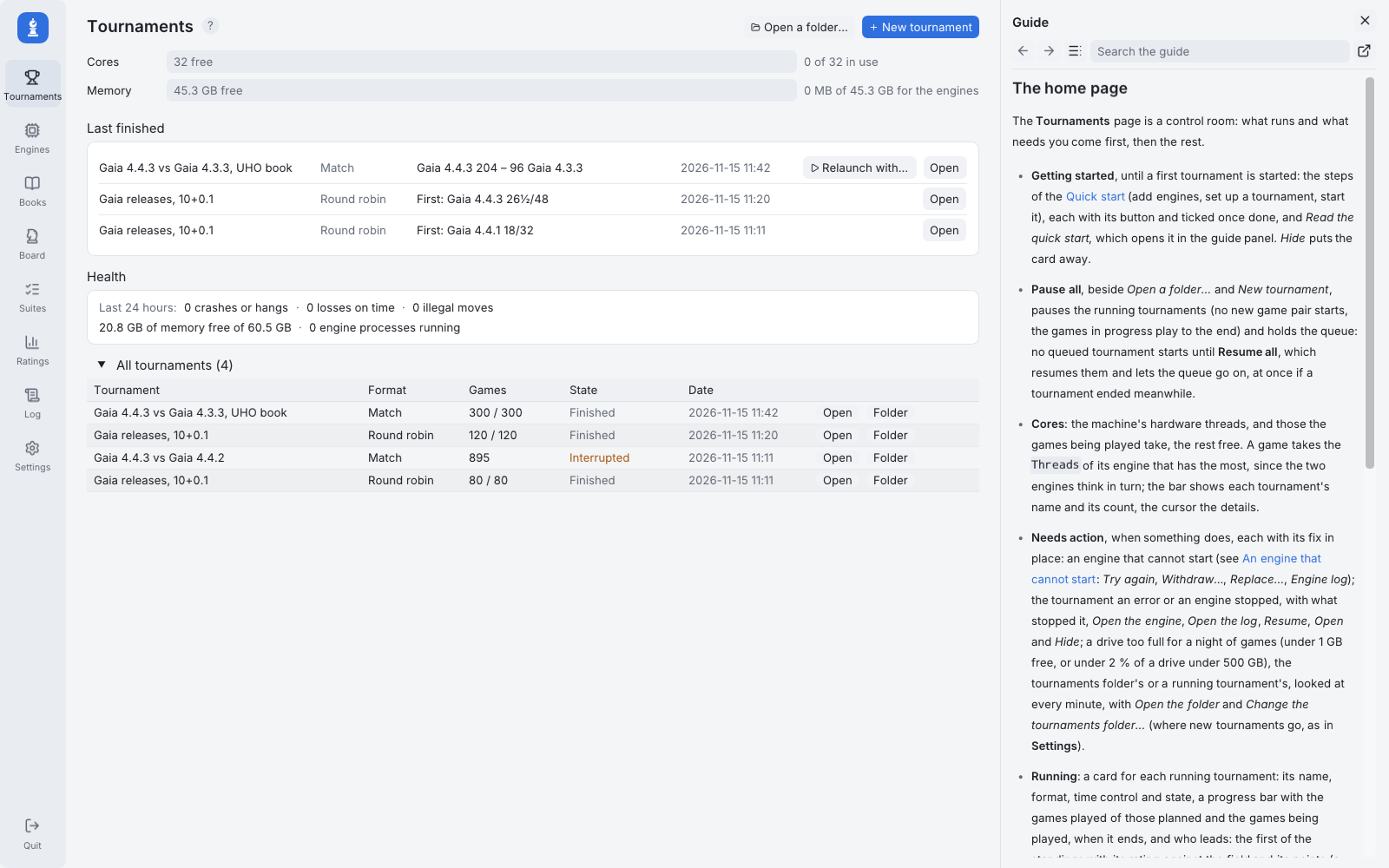
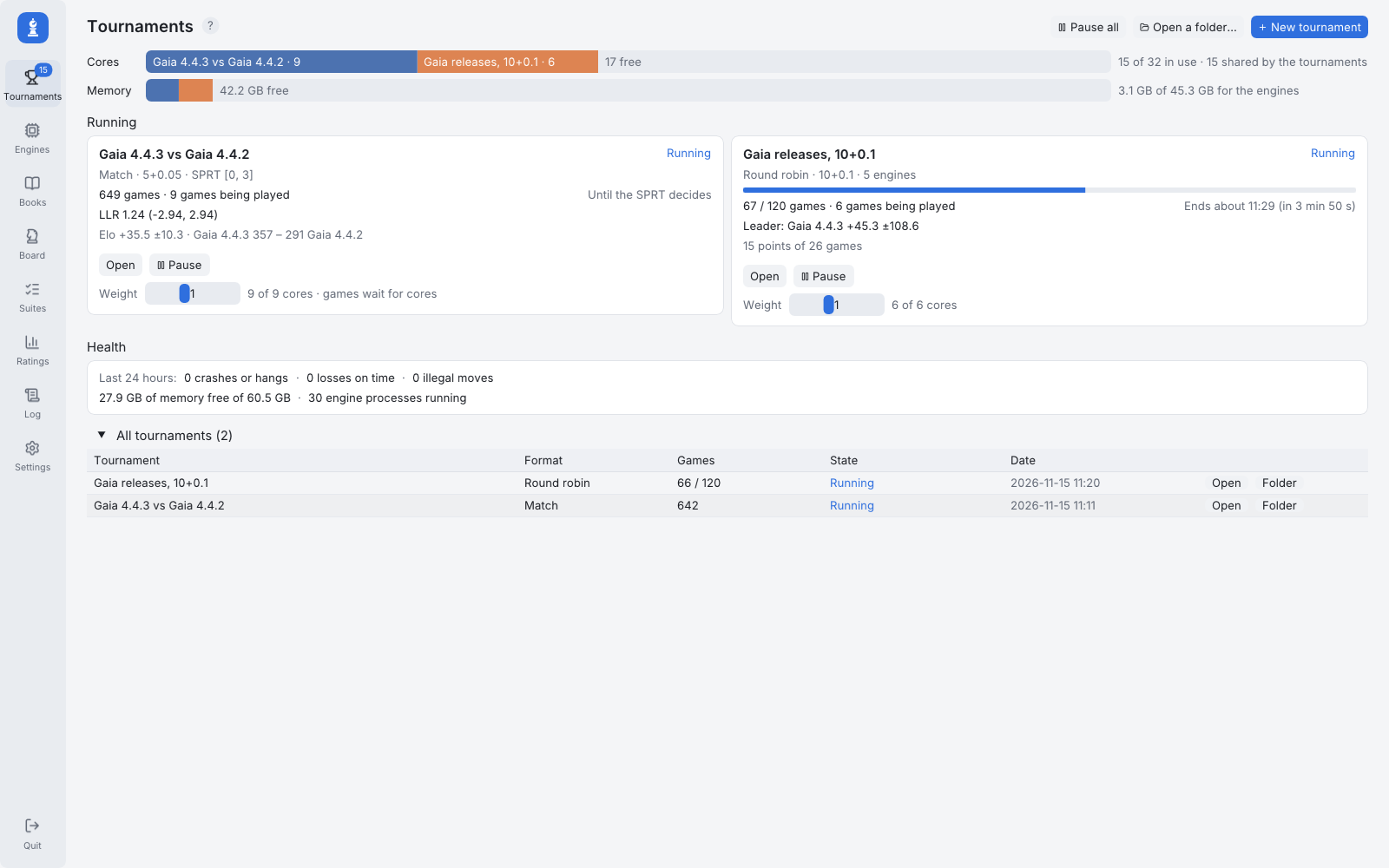 A round robin of the GaiaChess releases and an SPRT between two of them, side by side on the home page. Click any picture for full size.
Other computers
A tournament can now run on another computer, a test box, a server or a second PC, over SSH, and be followed from the window as if it played here. It reconnects by itself after a network cut, and the games and logs are copied back as they come. Windows PCs work too, through the OpenSSH server Windows provides.
Settings installs or updates fastchess-gui there, checks each engine on the machine, and copies the ones that are missing, after checking that the build is meant for that machine's system and processor. A SHA-256 tells you whether the engine over there is the same build as yours, so that a difference in results is not a difference in builds. The books and Syzygy files the tournament needs are copied as well.
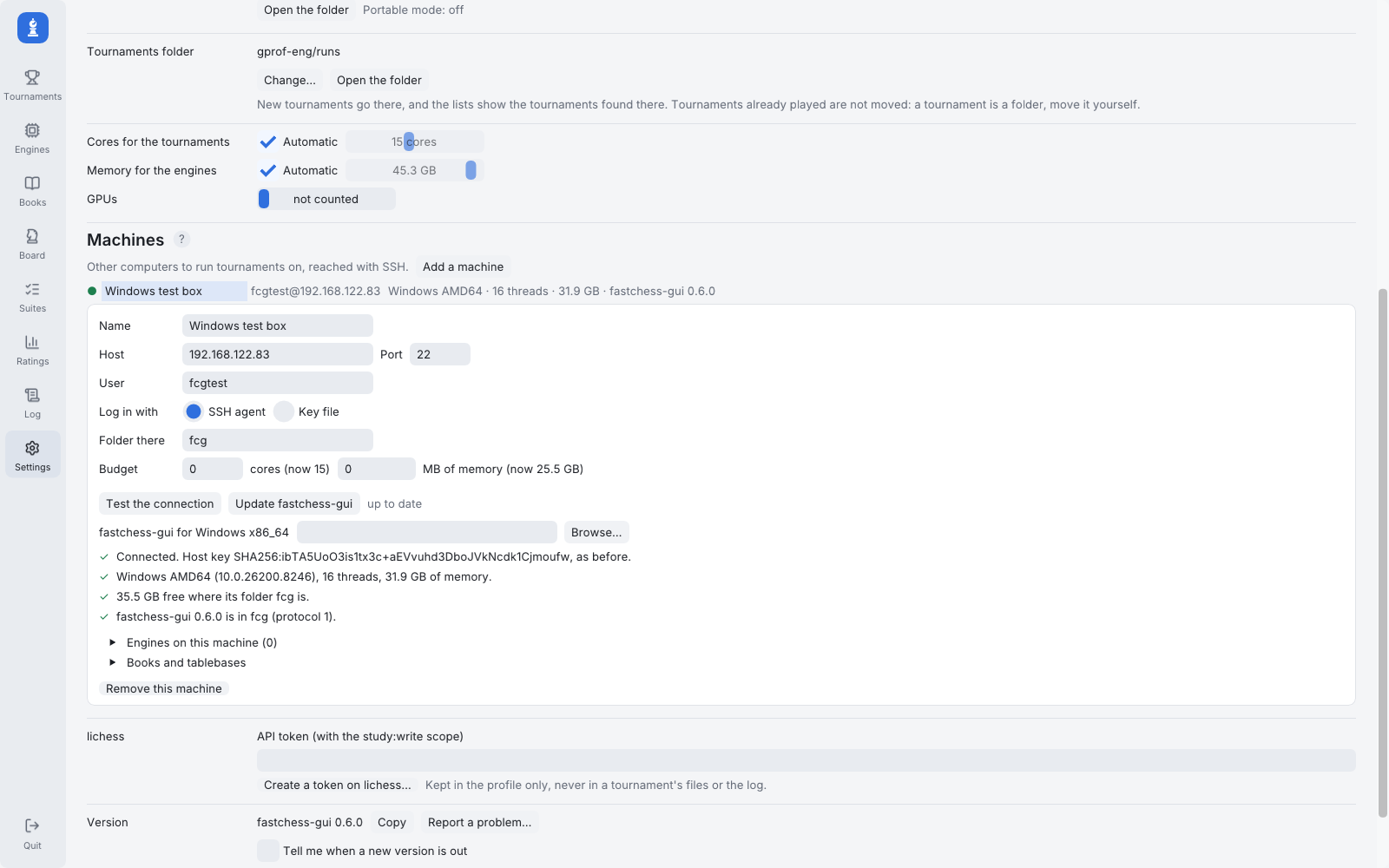 Settings > Machines: a Windows 11 PC tested over SSH.
Unattended runs
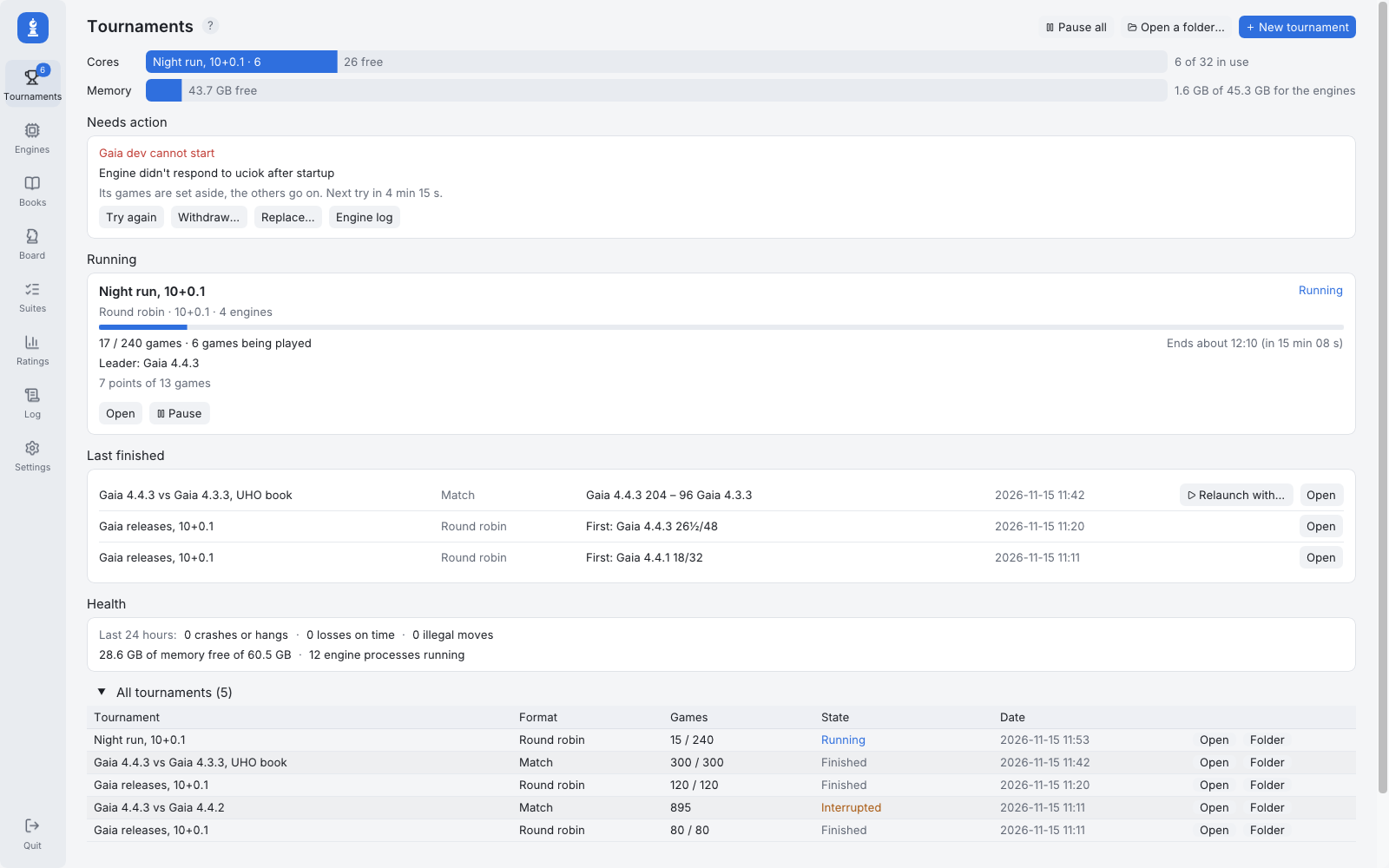
An engine that cannot start no longer stops the tournament. Its games are set aside, the others go on, it is tried again every five minutes, and its games come back once it starts. The home page tells you which engine failed and why, with its log and three buttons: Try again, Withdraw, Replace. In the picture below, a development build cannot find its network file.
More generally, the messages now name the engine, the resource and the fix, with a button that applies it: a program that moved, an engine that takes every core by default, an option value it refuses. The Syzygy files are checked before the start, a Health card counts the incidents per engine (losses on time in the first moves are shown apart, as they usually point to a setup problem rather than to time management), and a rebuilt engine is noticed, with what changed in its options.
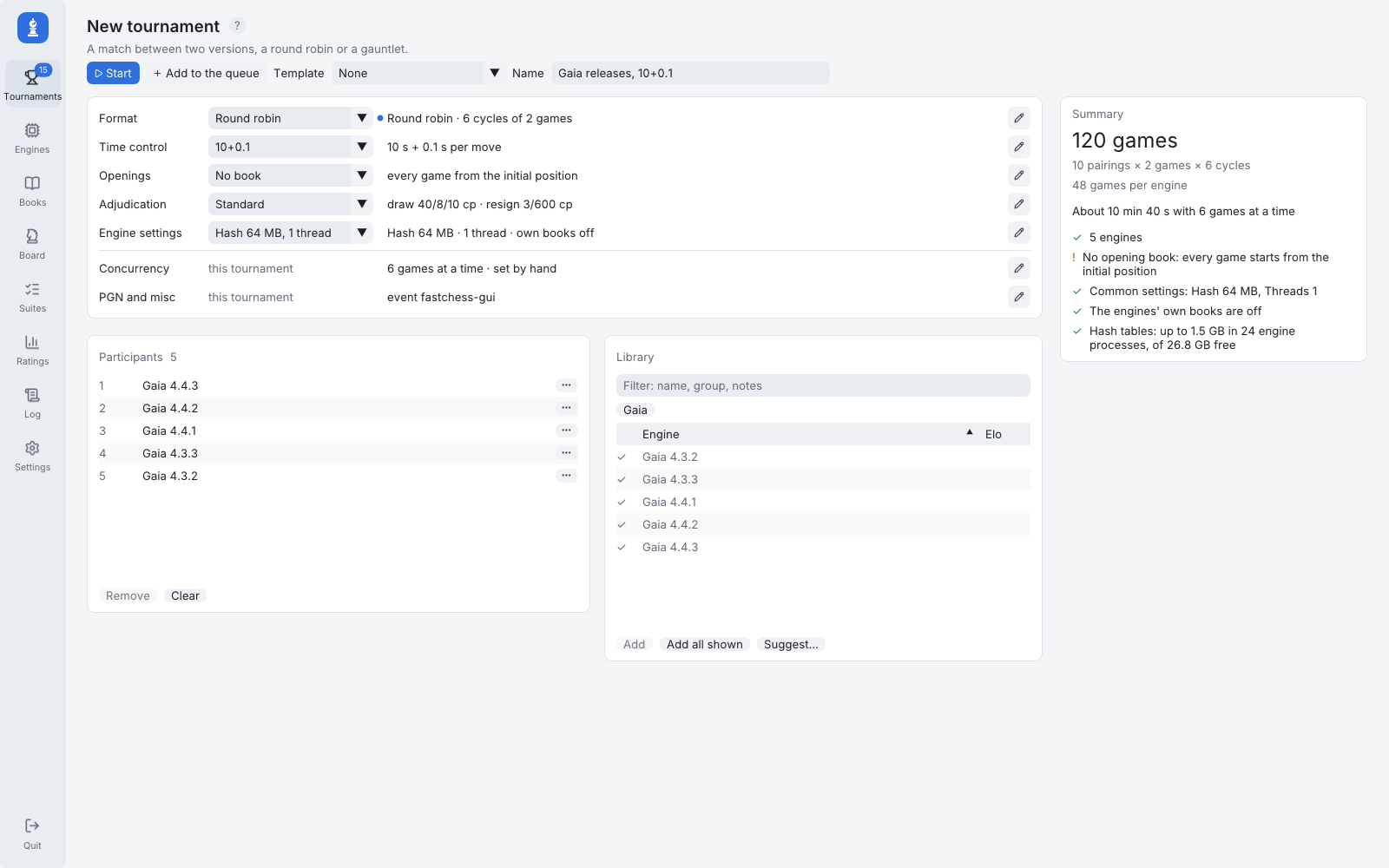
 Setting up a tournament
The New tournament page was rebuilt around profiles, one for each part of the setup (format and SPRT bounds, time control, openings, adjudication, engine settings), with presets for the usual conditions: a new test is set up by choosing a profile for each part, and a change for one tournament can be saved as a new profile. The engine library sits beside the participants, with a filter, groups and sorting by rating; a double-click or a drag adds an engine.
Also new: team matches (two teams of engines, everyone against everyone or board by board), an Elo bias and a minimum number of games for SPRT, a randomness setting for Polyglot books, and unbalanced openings flagged as the games end, with their pairs replayed from another opening if you want.
 The Board page
A new page for everything that is not a tournament. Any position can be analysed by an engine of the library, with its lines drawn as arrows, and pressing A on any board of the program (a live game, a finished one, an opening of a book) opens it there. You can open any PGN file and filter its games by their tags, paste a FEN, a PGN or a list of moves, or set up a position. A finished game can be analysed move by move, with its inaccuracies, mistakes and blunders marked. You can also play a game, or a pair, between two engines from the position on the board, while a tournament keeps running.
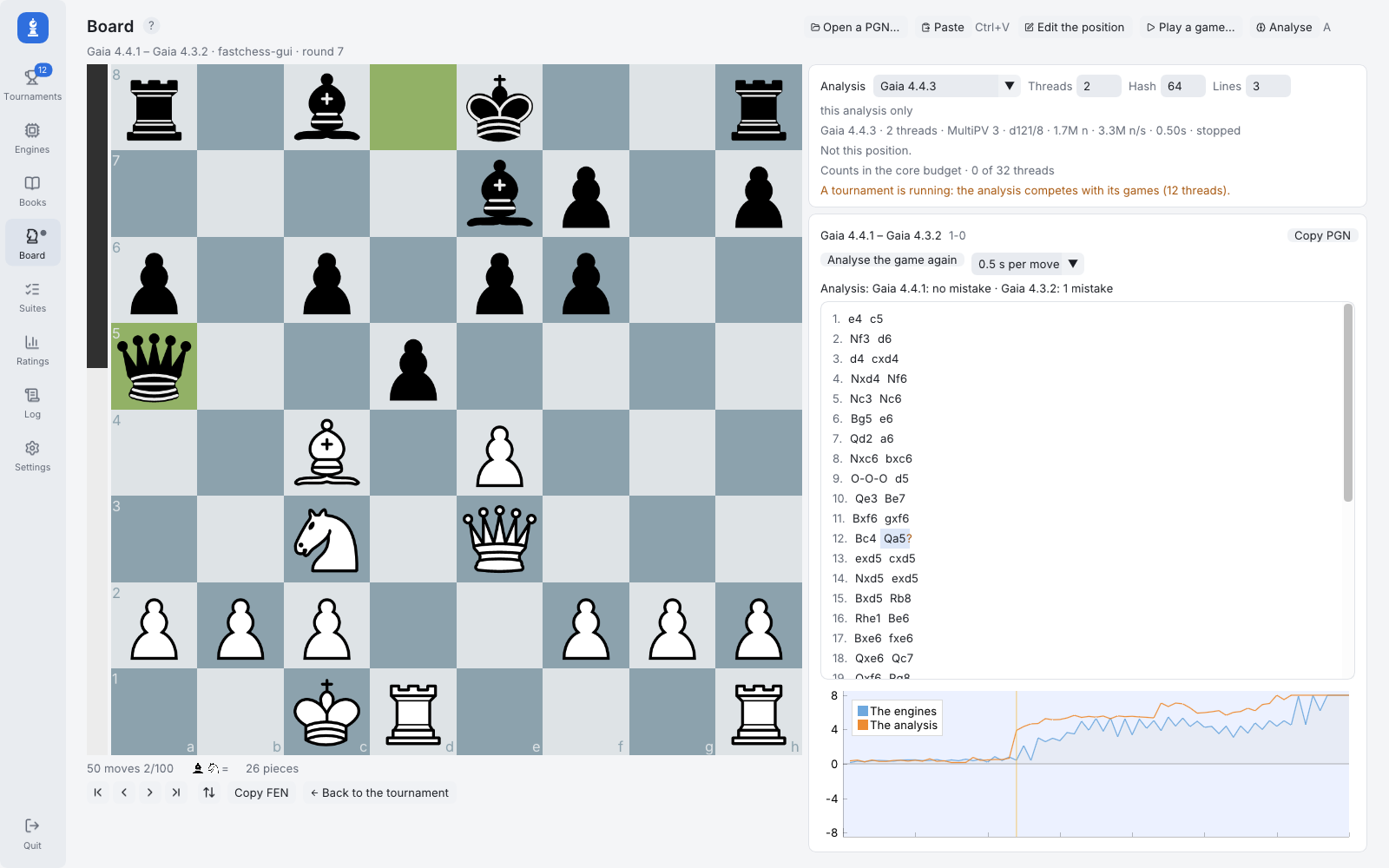 A game of the round robin analysed with Gaia 4.4.3: the mistake 12...Qa5? is where the curve jumps.
The guide, built in
F1 now opens the guide in a panel beside the page, at the section about whatever is under the mouse: a row of the setup, a card of the home page, a column of a table. The guide is built into the program, in all eight languages of the interface, and works offline. It gained a quick start, every keyboard shortcut in one table, tips for choosing the settings, a troubleshooting section and a glossary. Questions are still welcome here, of course.
 And the rest
A game's result can be set by hand, even while it is being played, with its effect shown first and an undo. A big screen mode shows one game filling the window, for a television or a stream. Boards get colours, piece sets, move sounds and engine logos. Chess324 start positions come as a book, Polyglot books can be built from a PGN file, a portable mode keeps everything in one folder (a USB stick, for instance), and the window now draws without OpenGL 3.2, on virtual machines and remote desktops.
Download
About 10 MB for Windows and Linux: one executable, nothing to install, nothing else to download. On macOS it is one universal app, with the fastchess command line tool beside it; it is not signed, so Control-click it and choose Open the first time.
Release page and full notes ·
README, with more screenshots
A big thank you to everyone who tried it and took the time to write, report a bug, ask for a feature or answer someone else's question. Most of what is above started as a question or a remark from a tester, here, on Discord, or on GitHub, so please keep them coming.

 Everything the .bat files pass to fastchess (engines and their options, time control, book, SPRT, concurrency, adjudication, tablebases) is set in the GUI and can be saved as a template. If you still want to script runs, the headless mode does it without a window: fastchess-gui --run setup.json starts a tournament from a saved setup, fastchess-gui --run <folder> resumes one, with exit codes and a clean stop on Ctrl+C. The queue chains several tournaments.
